
Router does 3 things

Hi guys👋, our home router which we connect for WIFI is actually combination of 3 different networking components
- Firewall
- Switch
- Wi-Fi Access Point
Performance
For everyday use, a home router delivers decent performance.
However, when multiple devices are connected or network usage increases, it can become a bottleneck.
The interesting part is, we can significantly improve performance without buying an expensive high-end router. Here’s how we can do that?
Plan
Think of it this way:
- One person doing three different jobs
- Three people each doing one specific job
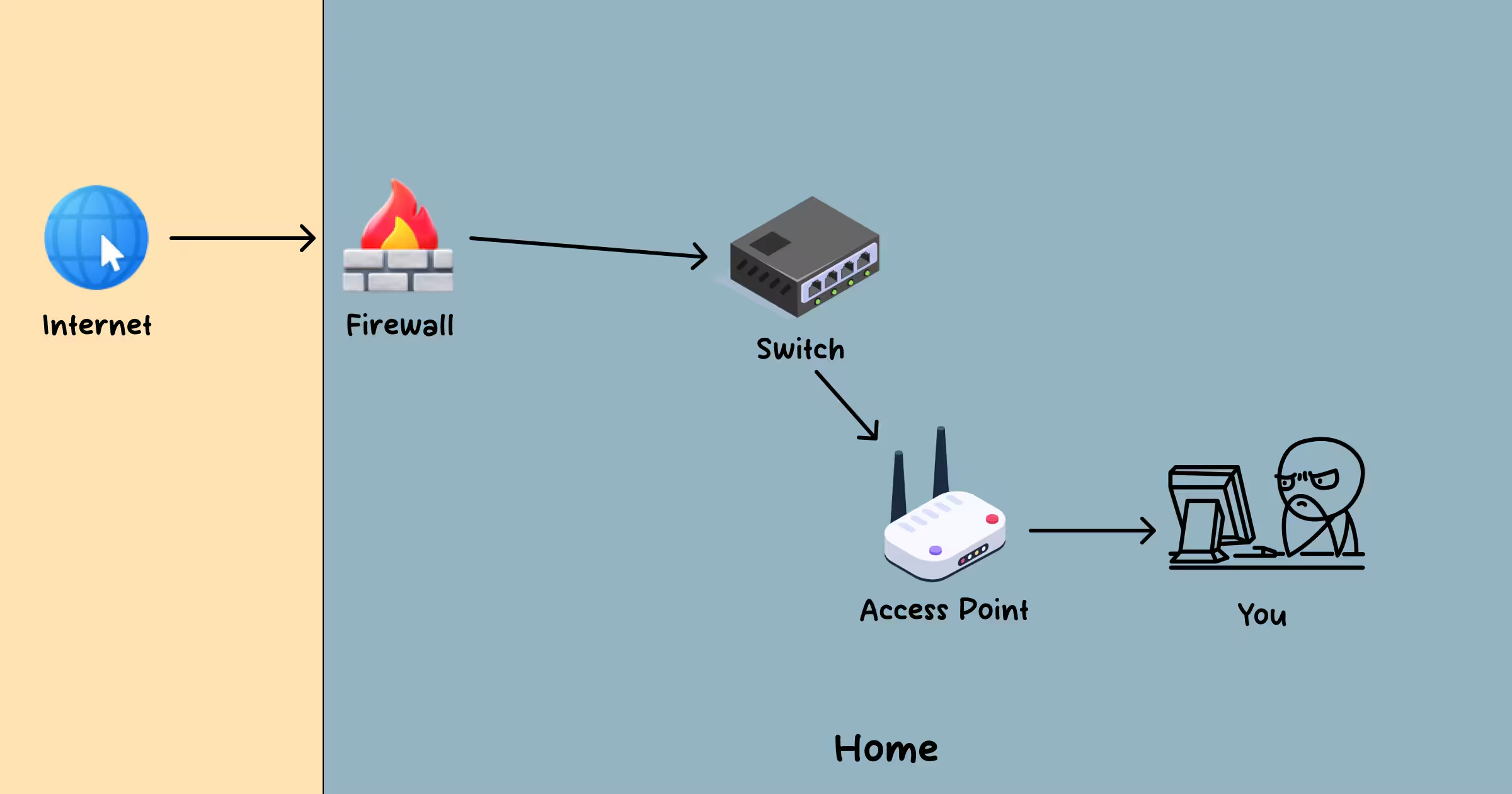
The 2nd approach is always more efficient. Instead of a single home router handling:
- firewall duties,
- switching,
- and Wi-Fi transmission,
we can separate these responsibilities into dedicated devices.
Firewall
- We can convert an old computer or laptop into a powerful firewall using tools like:
- These provide far more control and configuration options compared to a typical home router firewall.
Requirements:
- The system should have 2 Ethernet ports:
- WAN port – connected to the ISP modem
- LAN port – connected to a switch or access point
Switch
A switch allows us to connect multiple wired devices such as:
- desktops
- laptops
- TVs
- servers
This component is optional, but for maximum speed and reliability, wired Ethernet connections are always better than Wi-Fi.
Access Point
- Access point takes a wired network (Ethernet) and creates a new Wi-Fi network.
- Our devices can connect to this network.
By splitting responsibilities across dedicated devices:
- network performance improves
- scalability becomes easier
- upgrades can be done independently
This setup can be built on a minimal budget and scales very well. I haven’t implemented this setup at home yet!